Your whole store, read properly. Then told straight.
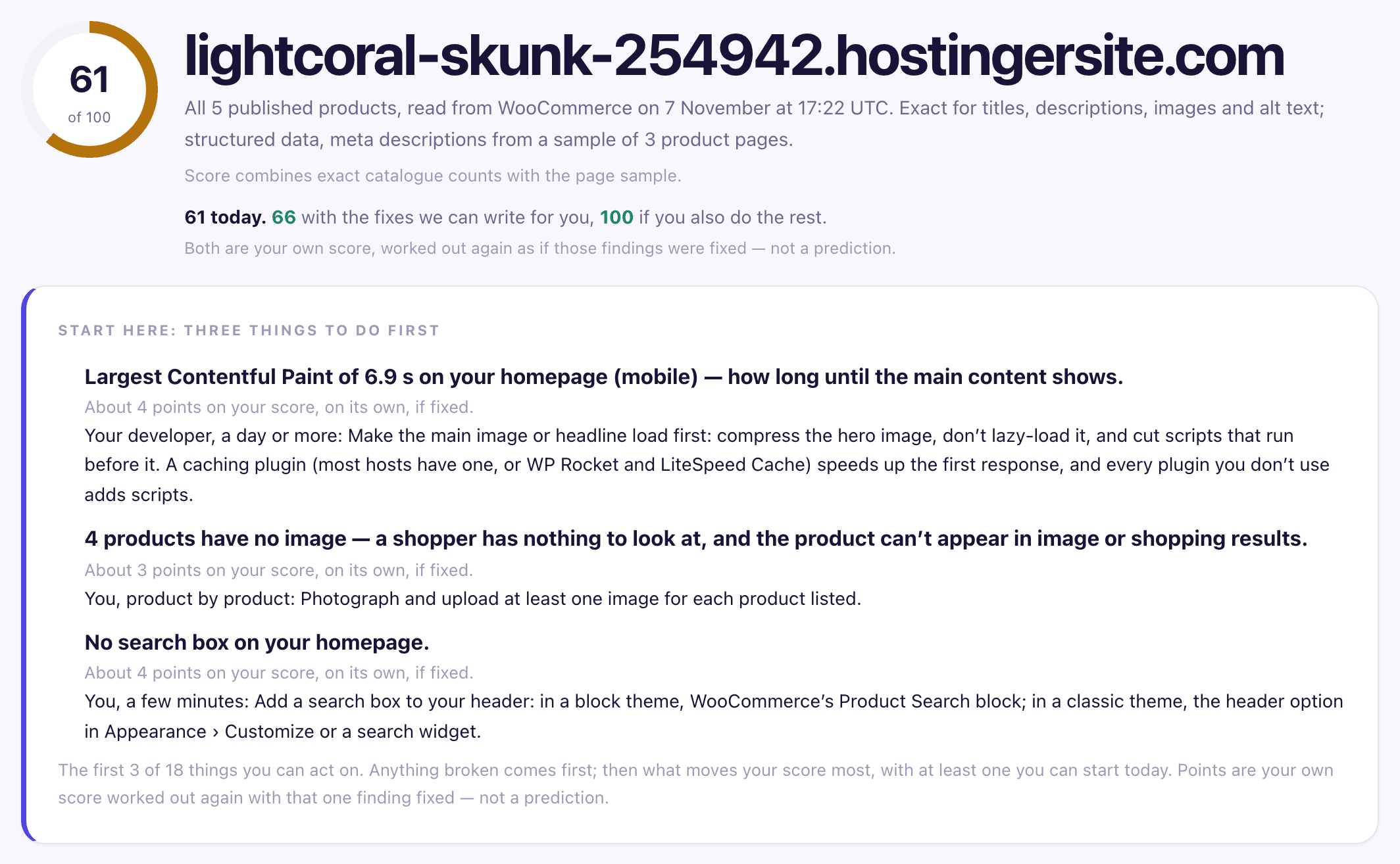
51 checks across six sections. Every number labelled with how we got it — counted exactly, or read from a sample and said so.
You already know something’s wrong. You don’t know what, or what to do first.
Most store audits give you a score and a list. Thirty findings, all shouting, none of them telling you which one matters on a Tuesday afternoon when you have an hour.
And most of them can’t show you where a finding came from. You’re asked to accept that something is wrong, fix it, and trust that it was.
Read, measure, rank.
Read every product
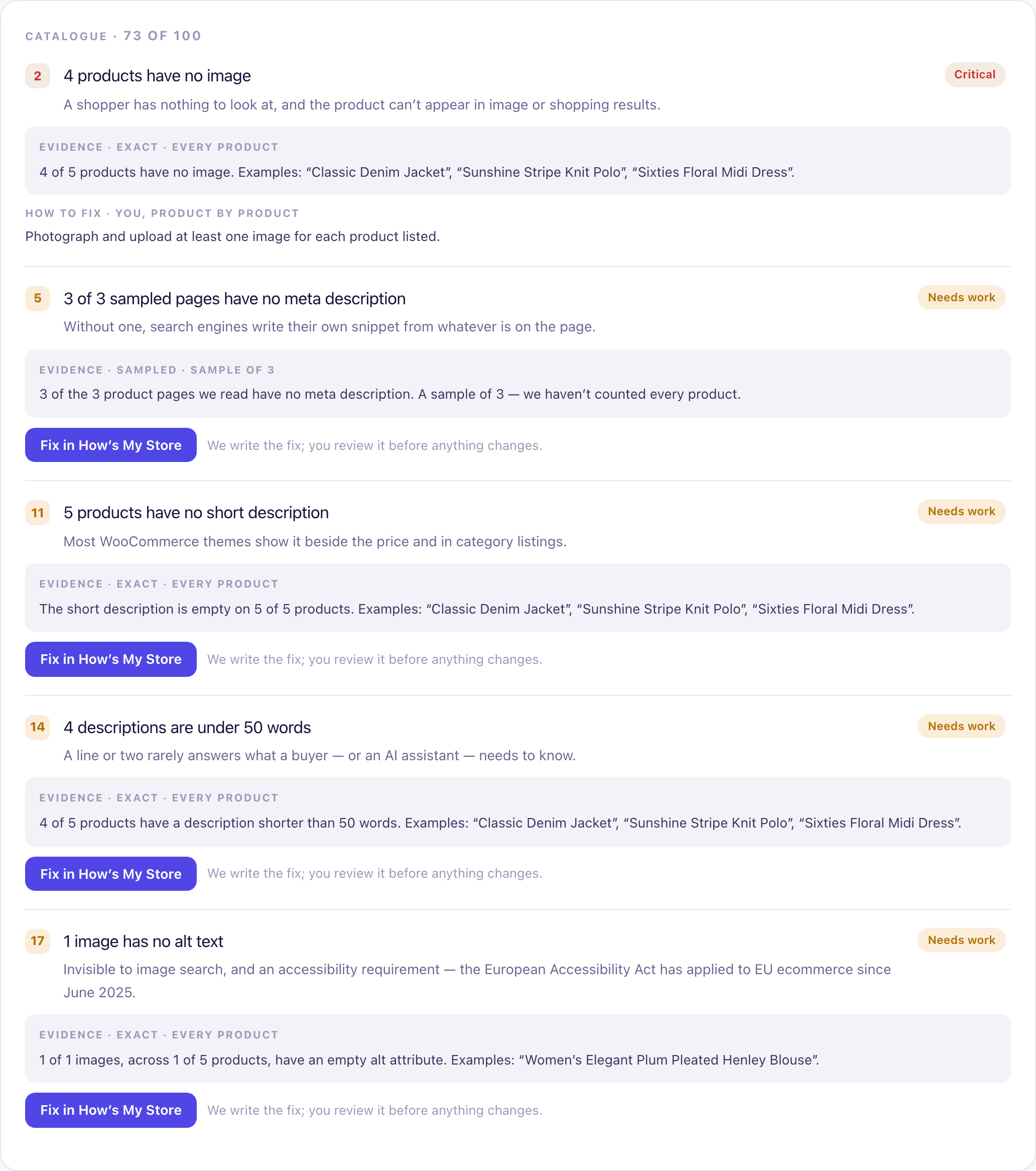
Not a sample. On WooCommerce and Shopify we read your whole catalogue through the platform’s own API — every published product, its description, images, categories and tags. Any other store is read from its product pages.
Sample your pages
We read a spread of product pages — up to ten — your homepage, your search, and your policy pages, and we say how many we read.
Measure your speed
Real PageSpeed measurement, using data from your actual visitors where Google has it and a lab test where it doesn’t. Each one labelled.
Rank what matters
Three things to start with at the top: anything broken first, then what moves your score most — with at least one you can do today, where there is one.
The limits, plainly.
Some numbers come from a sample.
On WooCommerce and Shopify, catalogue checks are exact — we counted every product. Page checks are sampled, up to ten product pages, and every sampled finding says so on its face.
We can’t score every store.
If we can’t read your products — neither your catalogue nor any product page — we say so rather than giving you a number we don’t believe. “No result” is an honest answer; a guess isn’t.
Speed from real visitors isn’t always available.
Google only has it for stores with enough traffic. Where it’s missing we show a lab measurement and label it as one — they aren’t the same thing and we won’t pretend they are.
We can’t tell you what any of it costs you.
We can tell you 47 products have no description. What that’s worth in sales is something nobody can calculate from the outside.
A report you can act on, and send to someone else.
- A score out of 100, and what it would be if you fixed everything you can act on — your own score worked out again, not a prediction
- Six section scores: catalogue, speed and mobile, the product page, trust and reassurance, navigation and search, discovery and persuasion
- Every finding with its evidence — the quote from the page, the count, the sample size
- What to do about each one: a Fix button where we can write the fix, otherwise a line saying who does it and roughly how long
- A PDF you can download or email, with the charts
- A comparison when you run it again: what’s fixed, what’s still there, what’s new. If our rules changed in between, we say so rather than compare
Run it on your store. Free, no account.
About two minutes. You’ll know straight away whether it’s worth your time.
Add your store to a free account and the audit reads your whole catalogue exactly, not a sample of its pages. On WooCommerce you can then publish the fixes too — you review each one, and every batch can be undone.